How to Multi-Task in Claude Code Without Losing Your Mind
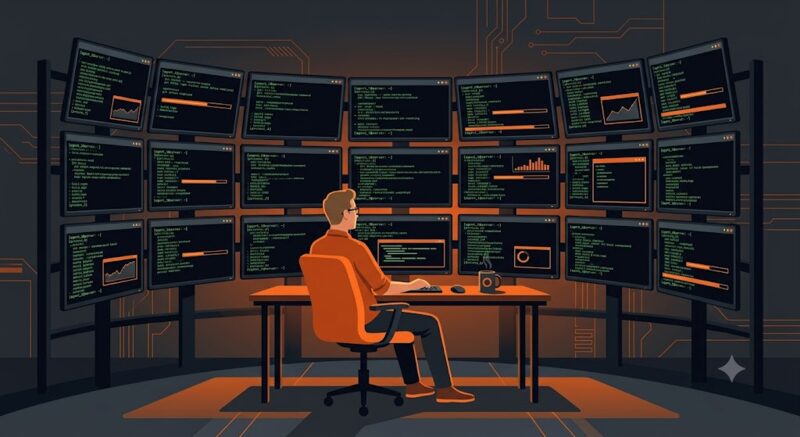
I have been hearing of developers who run dozen agents in parallel and create 40 pull requests a day, but I never quite believed it myself. I was never able to do that because the mental overhead of multitasking was just too much for me. But in the last few weeks, I drastically changed the way I work as an experiment and I was able to do just that. By any metric I can think of, I estimate that my productivity went up about 4x. In this blog post, I’ll tell you how I did that.
The problem with my workflow up to now was that while I thought I was managing a team of agents, I was actually micro-managing them. I was a very involved tech-lead, when I needed to be a higher level manager.
Thinking of my time in Microsoft, where I worked for 4.5 years until recently, my manager had 15 subordinates. He never coded, and rarely looked at code reviews. In fact, he rarely looked at the application. But he set priorities, assigned tasks, participated in design reviews, set procedures and culture. So that’s what I started doing with my team of agents.
Managers Don’t Code
Let’s start with some guidelines. In this new manager paradigm, there are some things it’s very important not to do:
- Stop writing code. I know it’s sad, but you have to grow into your new management role. My team writes the code whereas I barely open the IDE anymore.
- Stop doing “deep” code reviews. For low-risk tasks I don’t even look at code reviews. When I do look at them, I’m looking at sensitive changes like database migrations, Kafka protocol changes, API modifications, etc.
- Minimize the time you’re manually looking and verifying the application flow. Even that can, and should, be delegated to the agents. More often than not, I’ll ask my agent to look at the app with something like playwright, reproduce a flow, take screenshots, and I’ll look just at those.
Managers are also Architects and Product Managers
I like to think that I’ve shifted into a manager-architect-product hybrid role. That means that I will assign tasks but only on a high-level. If before I told my agents to go to some file, change some function, or refactor something, today I’ll describe the task as if I don’t know the code at all. Meaning in application functionality terms or in UI terms. An obvious example would be to open my web app, go to some page and change some button. That’s easy. But what about architecture decisions? A more interesting example is asking my agent “The operation here is very slow, explain what happens here and see if caching can help”.
Remembering implementation details is unrealistic when you’re managing a team of software developers. So one pattern is to start a technical task by first asking the agent discovery questions. e.g. tell me how such and such process works. When the agent can tell me, it saves me the trouble of remembering implementations, and also it brings both of us to the right context. For example, once the agent told me that this API endpoint pulls data from a certain database table, I can ask it what I wanted in the first place, which is to take the data from somewhere else, for example.
Verification
It’s hard to let go of looking at code, a lot can go wrong that I didn’t check. To be confident of the result I always go through several verification steps. In fact, I have a script for it.
First, I will ask my agent to go over all changes in the feature branch, summarize the product changes, but not the technical details. It’s important so as not to be biased during verification and code review steps.
Next, I’ll ask to verify the intent of the feature branch. The agents these days are incredibly smart and they are able to send requests to endpoints you might have changed, look at the database or logs, or use the browser with Playwright or similar. I’ll also often ask for the agent to save evidence. That might be log snippets, database records, or screenshots and video. I actually found that I don’t look at the evidence that much, but I think it’s still good practice for the agent to prove that everything works. If it’s anything like a human, in the act of proving it might find additional mistakes it missed before.
Finally, I will ask the agent to code review all changes in the branch, given the intent that I extracted before. That will be in a new session, not the one with the verification task. In all code reviews, I’m asking the agent to phrase the findings at a high level for an architect. That means no variable names, no function names, and no code snippets. As mentioned, it’s impossible to multi-task while keeping in mind code implementation.
Bringing Everything Together - The Workflow
Since I work on multiple tasks in parallel, I’ve cloned my repository multiple times and I’ll be opening a Claude Code terminal in each of the clone folders. I know many prefer working with git worktrees, but I like the fixed folder names separate clones give me because it allows me to create a simple script that sets localhost ports according to the directory name. But as long as you have a different repo for each agent session, it doesn’t really matter. So my starting position is a few terminals open on each of my clone directories with a Claude Code open session in each.
Like everyone, I keep a backlog of tasks I have to do. For me, it’s a simple to-do list in Obsidian. I’ll type the high level requirements of the first task in Claude Code. If it’s a small task, I’ll tell the agent to go ahead and do it. If it’s a higher risk task where I want to make sure the architecture is correct, I’ll do it in plan mode. While the agent is working, I’m moving to typing my next task in another terminal. Until now, 5 terminals in 5 repo clones have been enough; by the time I’m typing the 5th, one of the terminals usually needs my input or has finished.
I have a single terminal window where each repository has a single tab, and each tab has several panes. One pane will be with Claude and another might be for bash commands or with nvim open. I configured Claude hooks so that whenever it is working I can see an hourglass and when it finished working an emoji shows that it’s done. The title of the tab also automatically changes to the current feature branch, so that helps me context switch as I change tabs.
When Claude is finished with a task, I’ll clear the context and ask it (with a skill) to verify the task is done and to do a code review. The agent is instructed to provide screenshots and proof that everything worked. For verification failures and code review findings, the agent returns the findings in high level wording. No code snippets, no variable names, no function names. Otherwise, I’d be back where I started with limited context switching capability and a headache. I do ask the agent to fix obvious bugs and issues as it encounters them in verification and code review, and that saves me a bunch of time.
When verification and code review are finished, I have a small script that creates a GitHub code review from a feature branch and opens the URL in the browser. This is the first time I’ll see the generated code, though I skim through it very quickly, sometimes looking at file names and the amount of code written as a sort of sanity check that it makes sense that it’s there. I will stop to see database migration files, changes in prompt wording, or similarly important changes.
So that’s the process in a nutshell. I’m doing round-robin between 3-5 tabs, writing tasks, answering on decisions, and reviewing findings from verifications & code review. Always in high level, and I almost never have to look at code. For some tasks I do open the app to run the flow and see the result, but more often than not I don’t have to.
Conclusion
The surprising part is that this workflow doesn’t just make me faster. It makes me less mentally exhausted. Instead of constantly loading and unloading implementation details from my head, I’m spending my time making decisions, setting priorities, and solving product and architecture problems. That’s a much better use of my attention. The AI agents handle the implementation, verification, and most of the review process, while I stay focused on direction. It’s a very different way of building software, but it’s a brave new world and we have no choice but to adjust.
P.S my new workflow was largely inspired by this video: L8 Principal’s Agentic Engineering Workflow