
Doctor (health checks)
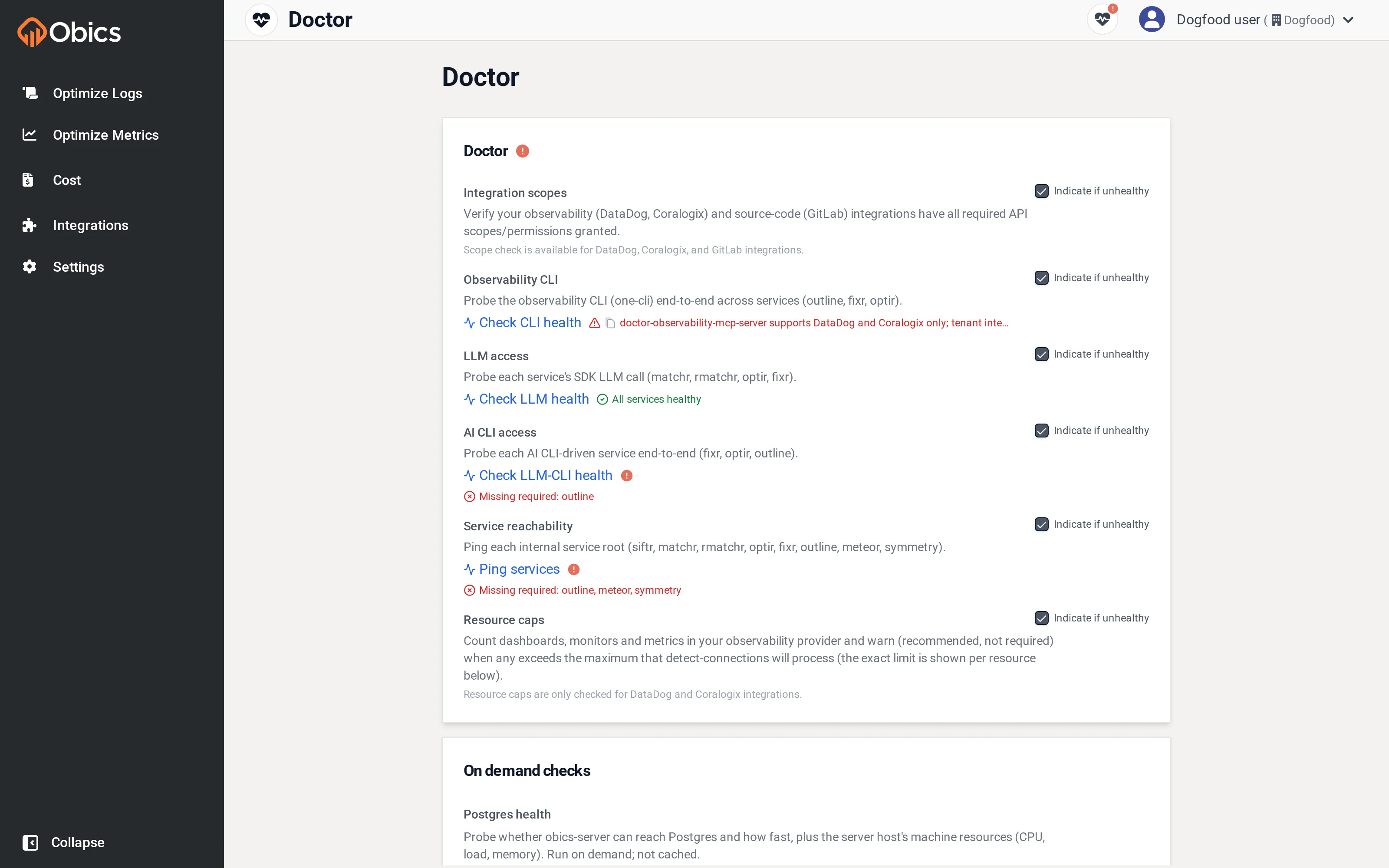
The Doctor page runs health checks across Obics so you can diagnose problems: a scan that returns nothing, fixes that fail, or a newly-added integration that isn’t working. An overall red or amber icon appears when any check is unhealthy.
Each check has a description, a run button, and an “Indicate if unhealthy” checkbox that surfaces a warning elsewhere in the app when the check fails.
The checks
Section titled “The checks”| Check | Verifies |
|---|---|
| Integration scopes | Your observability and source-code integrations have the API permissions Obics needs. |
| Observability CLI | Obics can reach your observability vendor end-to-end. |
| LLM access | Each service can call the configured LLM. |
| AI CLI access | The AI agents that generate fixes can run (may take up to ~2 min). |
| Service reachability | Every internal Obics service is up. |
| Resource caps | Your dashboard / monitor / metric counts are within processing limits. |
| Postgres health (on demand) | The database is reachable, with latency and host resource stats. |
Cache controls
Section titled “Cache controls”- Reset cache: clears this organization’s cached data and analysis.
- Reset connected assets cache: clears cached dashboards, monitors, metrics-from-logs and sampled logs; they’re re-fetched on the next scan.
Use these if Obics seems to be showing stale data after you’ve changed something in your vendor.